Make it, sell it, bring customers back, run it. Everything is here.
Start freeNo tag = every plan, Free included. Starter = Starter and Pro. Pro = Pro only.
Make it
Add a recipe once. FoodShop knows the cost, the price, the label and what to buy.
Start with cookiesNew
Start your first product from a ready chocolate chip cookie recipe with the prices filled in, and change anything you want.
Pantry
Save each ingredient once with what you paid, and every recipe uses it.
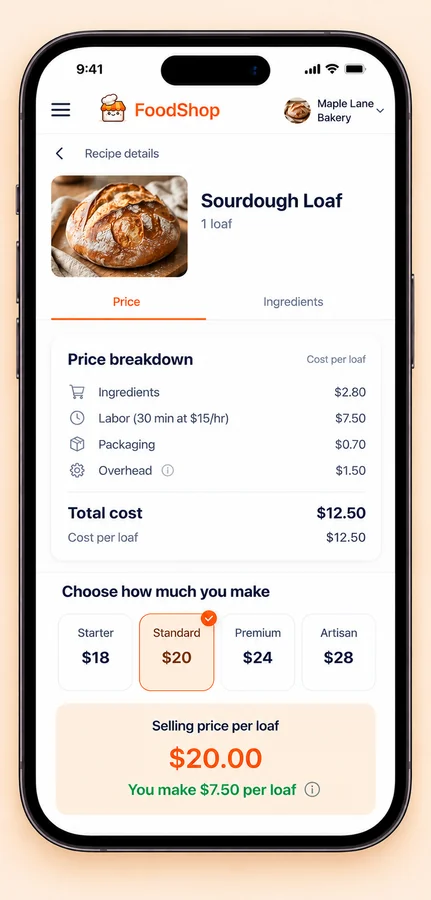
Recipe costing
See the real cost of every recipe: ingredients, your time, packaging and overhead.
Price that makes money
Pick a price level and FoodShop gives you the price, or type a price and see your margin.
Paste or photograph a recipe
Paste the text or snap up to 5 pages, and FoodShop pulls out the ingredients.
Ingredient search
Search an ingredient by name and add it to your pantry.
Scan ingredient labels
Photograph a package with your phone and FoodShop reads the label into your pantry.
Phone to laptop
Scan a code on your laptop with your phone, snap the label, and it lands on your laptop.
Scale a recipeStarter
Make half a batch or up to 10 times as much, with every amount worked out for you.
Product options
Sizes, flavors, add-ons and custom options, each with its own price, cost and allergens.
Mixed packsNew
Let customers fill a dozen (or any pack) with the flavors they want, like 3 of each.
Thanks to Rachel, Colorado
Cottage food labels
Print a label with your state's required wording (US).
Your allergens
You choose the allergens for each product and FoodShop prints them on the label and your shop.
Descriptions written for you
Get a product description from your recipe in one click.
Change the yield
Got the batch size wrong? You can change it until the recipe's first order.
My recipesNew
See all your products at a glance: price, profit, orders, where each one is sold, and anything not on sale anywhere.
Sell it
Shop, drops, pop-ups and calendars. Pickup or delivery. Get paid your way and keep every dollar.
Choose how you sellNew
Pick an always-open shop, a drop, a calendar of pickup dates, or a pop-up, and we take you straight to the setup. Use all four whenever you want.
Test orderNew
Place a test order on your own shop to see exactly what your customers see, and what you get when an order comes in.
Online shop
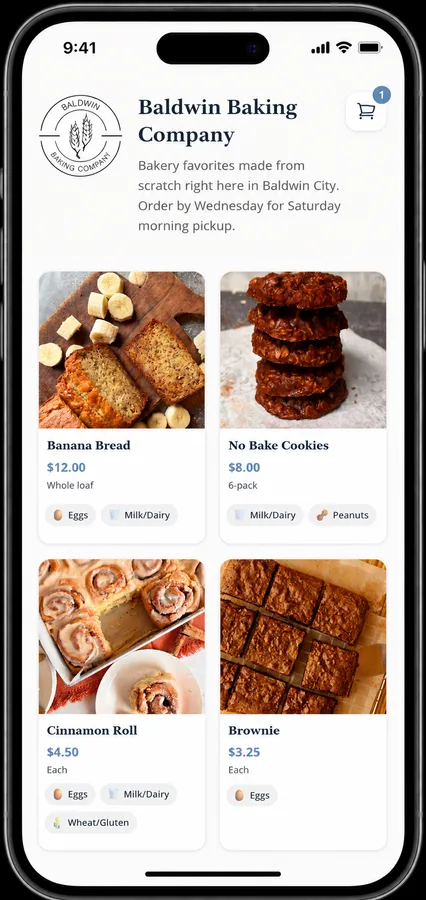
A shop customers can order from any time you're taking orders.
Drops
Take orders for one pickup date and bake exactly what was ordered.
Several drops at onceNew
Run as many drops as you like at the same time, each with its own page and cart.
Pop-ups
A page for your market or event, with the products and quantities you're bringing.
Drop calendar
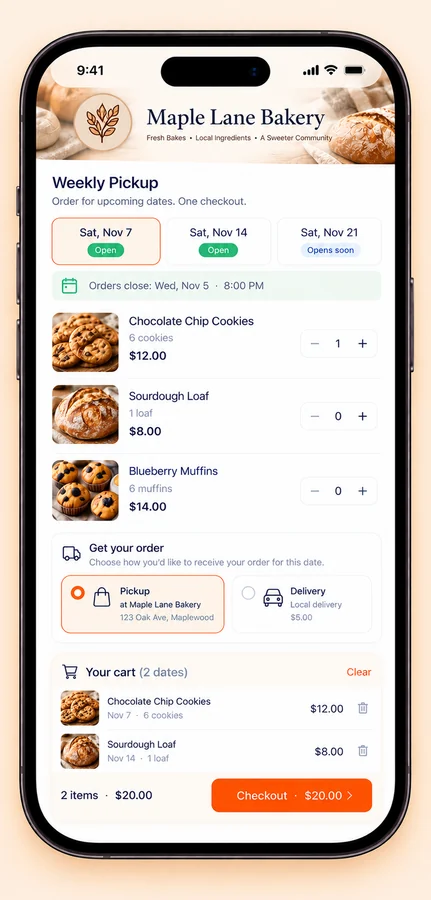
Post many pickup dates and let customers order several in one checkout.
Thanks to Jen, California
Last-chance emailsStarterNew
On a drop calendar, FoodShop emails your subscribers the day before each date's orders close, on Starter.
Schedule future dropsNew
Set up next month's drop while this week's is still open.
Close a drop early
Sold enough? Close orders now and reopen if you change your mind.
Run this drop againNew
Run the same drop again next week, on the same link. Past orders and totals stay saved.
Thanks to Joy, Oklahoma
Mix & match dealsNew
Any 3 for $15: pick which products count, set the price, and customers choose.
Thanks to Tracie, Texas
BundlesNew
Sell a fixed box at one price, like 2 sourdough and 6 cookies, on any sales channel.
Pickup or delivery
Offer pickup, delivery or both, with your own fee, area, days and time windows.
Thanks to Christi, Washington
Pickup locations
Save as many pickup spots as you need, each with its own days and hours.
Several pickup places on a dateNew
On a drop calendar, each date can use the pickup places you need, each with its own times.
Several pickup timesNew
Give one pickup location more than one time slot and let customers choose.
Pickup instructionsNew
Add a note to each pickup location and customers see it everywhere they need it.
Thanks to Tiffany, Kansas
Lead time
Ask for the notice you need, like 48 hours for pickup and 72 for delivery.
Thanks to Rachel, Colorado
Weekly order cutoffNew
Set it once, like "orders close Tuesday 6pm for this weekend".
Thanks to Lori, Alberta
Minimum order
Set a minimum per product or a minimum spend, different for pickup and delivery.
Daily limit per productNew
Cap how many of each product you'll make for one day.
Cash or pay at pickup
Let customers pay when they collect, and mark it paid.
Card paymentsStarter
Take cards through your own Square account.
Apple Pay and Google PayStarter
Customers pay with one tap on their phone, through your Square account.
Thanks to Joy, Oklahoma
VenmoStarter
Show your Venmo at checkout (US).
Interac e-TransferStarter
Show your Interac email at checkout (Canada).
Thanks to Lori, Alberta
Pay with any linkStarterNew
Add a link from PayPal, Cash App, Stripe, Square, Autobooks or any service, and customers pay through it at checkout.
Thanks to Ashley, Missouri
0% platform fee
FoodShop never takes a cut of your sales. Only your payment provider's normal fees apply.
Sales tax
Add your sales tax rate and it's on every order.
Tips at checkoutNew
Let customers add a tip at checkout on your shop, drops, pop-ups and drop calendars.
Create an order yourselfNew
Took the order by text, phone or in person? Add it yourself in a few taps.
Thanks to Joy, Oklahoma
Bring them back
Keep in touch, reward your regulars and make the next sale easier than the first.
Maple Lane Bakery


3 orders done. 2 more to your free loaf.
Rewards are offered by Maple Lane Bakery, not FoodShop.
Subscribe box
Customers leave their email on your page. Email them about your next sale on Starter.
Email your customersStarter
Write and send an email about your next drop, right from FoodShop.
Thanks to Ella, Ohio
Rewards: free treatStarter
A stamp card: a free loaf after 5 orders, or whatever you choose.
Rewards: money offStarterNew
Give money off once a customer spends a set amount, like $5 off at $100.
Rewards: welcome giftStarterNew
Something special on a customer's first order.
Rewards: bring a friendStarterNew
Customers share their own link and earn a treat when a friend orders. You can give the friend something too.
Rewards: birthday treatStarterNew
Give your customers a treat on their birthday.
Rewards: bigger rewardsStarterNew
A bigger reward further along the card for your best regulars.
Rewards: only some productsStarterNew
Choose which products count toward rewards.
Your logo on the reward cardProNew
Use your own logo as the stamp.
Pickup remindersNew
Every order gets an email at 6 PM the evening before, for pickup or delivery, on your shop, drops, pop-ups and drop calendars.
Thanks to Joy, Oklahoma
Facebook posts written for you
Pick what you're promoting and FoodShop writes the post.
Order emails you can edit
Customers get an email when their order is placed, confirmed, ready or cancelled, in your own words.
My orders page
Customers get an emailed link to see their orders with you, no password needed.
Customer messagesNew
Write to a customer right from the order and see the whole conversation in one place; they get a normal email from your shop and just hit reply.
Run it
Orders turn into a bake plan and one shopping list. Your orders, customers and numbers in one place.
Orders
Every order from every channel in one place, from new to picked up.
Sales totals and exportNew
Pick any period on your Orders page and see your sales, tax and how customers paid. Export it to a spreadsheet for your taxes, on Starter.
Thanks to Joy, Oklahoma
Bag stickersNew
Print a sticker for every order bag with the customer's name, the pickup time, what is inside and what to collect.
New order email
Get an email the moment an order comes in.
Phone notificationsNew
Turn on notifications on your phone and FoodShop tells you about new orders and customer messages right away.
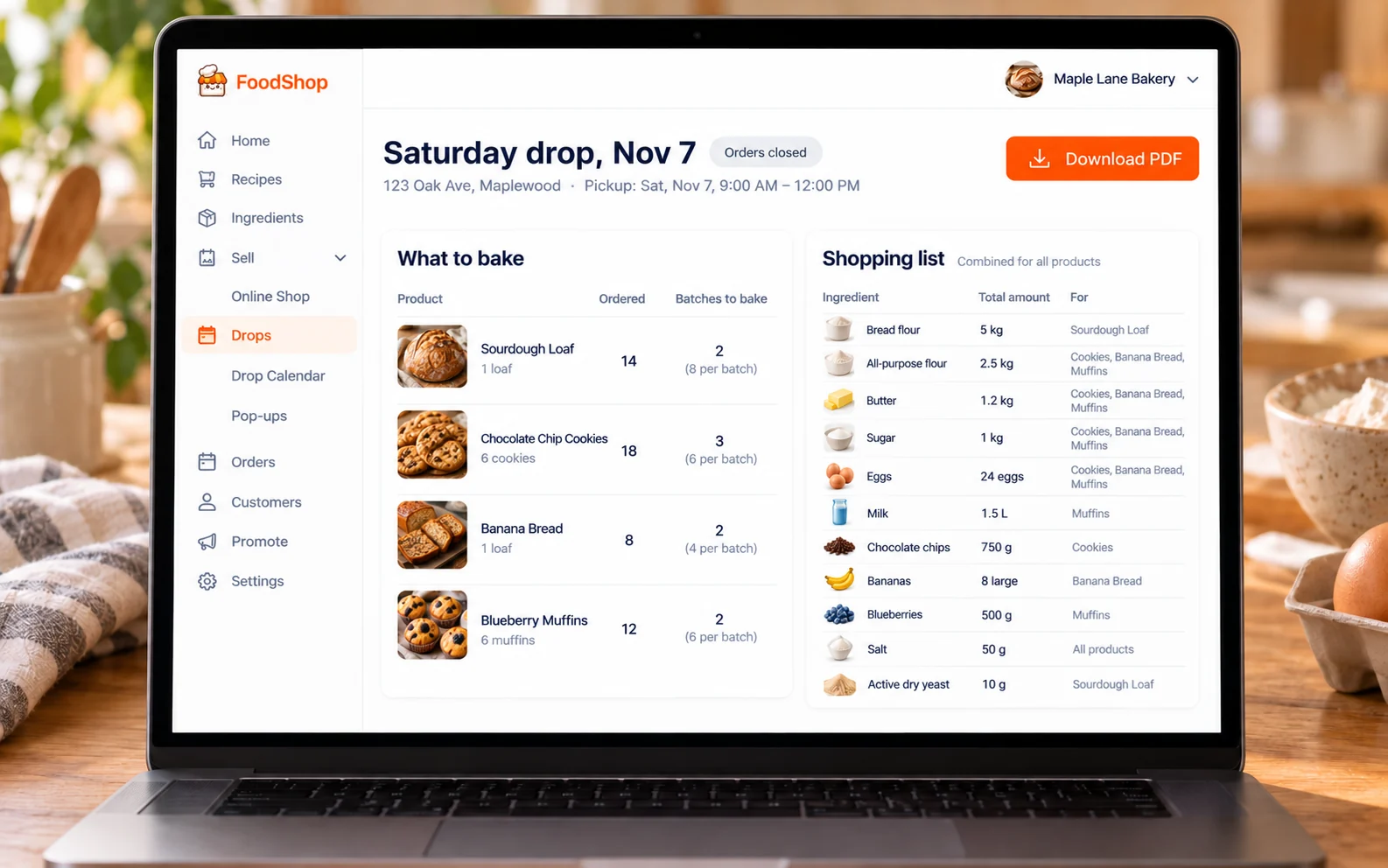
Bake plan and shopping listStarter
Your orders turn into how many batches to bake and one shopping list.
Pop-up prepStarter
Pick what you're bringing to a pop-up and get one shopping list.
Customer listStarter
See who buys, how often and how much, with notes and export.
Merge customersStarterNew
Two records for one person? Merge them.
Daily orders emailStarter
Every day, today's and tomorrow's orders in one email, at the hour you choose.
Your business numbersPro
What you made, orders and customers vs last month, and what to bake more of.
Price check remindersPro
A nudge when an ingredient price looks out of date.
Install FoodShop as an appNew
Add FoodShop to your home screen and open it like an app.
Thanks to Lori, California
Ask the founder
Message me from inside FoodShop. I reply myself.
Help videosNew
Tap the help mark on a screen and a short video shows you how it works.
Download your data
Download everything in your account whenever you want.
Your brand
Your name, logo and colors everywhere your customers look.
Name, logo and banner
Your business name and logo on your shop and every product.
Themes and fonts
Pick a look for your shop in a few clicks.
Your own colorsStarter
Match your shop to your brand colors.
About, FAQ and contact
Tell your story and answer questions before customers ask.
Your web address
yourname.foodshop.biz, free on every plan.
Your own domainPro
Use yourname.com, set up in minutes.
No FoodShop brandingPro
Remove "Powered by FoodShop" from your shop.
Want to try it? It's free to start.
Start freeQuestions?
Ask Meir